WordPress - Page 2
316 articles
How to disable a Code Snippet from Database in WordPress
Everyone think that code snippets plugin is something that you can use to install any PHP code on WordPress without breaking the site. I encountered an issue
How to Use Linux Terminal in WordPress Dashboard
If you want to use Linux terminal in WordPress dashboard then you are on the right page, I will show you how you can execute Linux commands using WordPress
How to Block Unwanted Query Strings URLs in WordPress
If you are getting page indexing issue i.e., Duplicate without user-selected canonical on Google Search Console, then you are going to get an answer in this
How to allow PHP in Posts/Pages/CPT in WordPress
PHP is server scripting language used by million of websites online. Even WordPress is created with PHP programming language. In WordPress, we use plugins to
4 Ways to Remove WordPress Version Number
Be default, WordPress adds its version name as meta tag in <head> section which opens the door for hackers. By removing the WordPress version number
Is*Hosting Review 2024
I have been using Is*Hosting web hosting for the past 3 months now. I'm very much satisfied with their customer support and they are very good when it comes
How to Hide Pagination Pages from Search WordPress (Yoast SEO)
I have been sharing WordPress solutions for a quite sometime now, recently I stumbled upon on a very serious issue related to SEO. Pagination is a common web
How to Enable SVG Files Upload in WordPress
SVG (Scalable Vector Graphics) files are disabled for upload in WordPress by default due to security reasons. WordPress by default don't let its users to
How to Add Custom Code in WordPress Like a Pro (Without Breaking Your Site)
Talking about custom coding in WordPress why do we need to learn it? At some point while reading WordPress tutorials we are asked to put custom code in
2 Greatest Custom Post Type WordPress Plugins 2024
Let's begin with why one would need a custom post type in his/her WordPress blog? Fair enough, the need to have a custom post type (CPT) in website for many
Brizy Page Builder: Everything you need to know
Brizy is a white label website builder for Agencies & SaaS, allows you to create professional websites for your customers with ease. Select from an
Why I stopped using W3 Total Cache (WP Super Cache is Better)
If you are looking forward to knowing why I stopped using W3 Total Cache because of switched WP super cache on Softstribe.com then you should read the rest of
How to Add Sitemap page in WordPress Blog
Well, if you are using WordPress then you might know that sitemap is one of the best way to over look a website clearly and see what it contains from posts,

How to Add Excerpt in WordPress (Homepage, Archives, Custom Post Types)
Many themes don't have excerpt feature on homepage, archives pages, this article will help you to help WordPress users on how to add excerpt in WordPress.
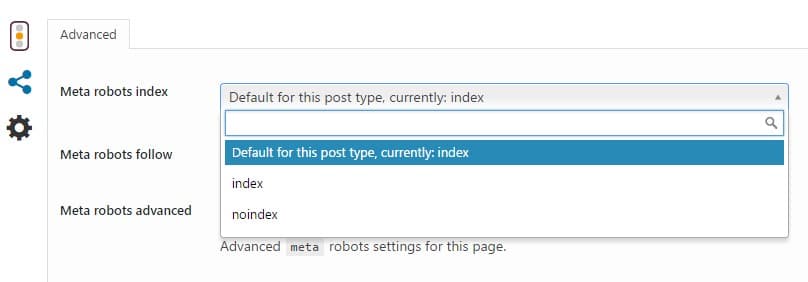
How to Prevent Search Engines from Indexing WordPress Blog
In this article, we'll take a look on how can we prevent search engines from indexing a page in WordPress? There are three ways to make it happen.
WordPress.org VS WordPress.com (Who Wins)
So, our team decided to write this guide about what are the things that makes wordpress.org different entity from wordpress.com

How to add a Call-to-Action jQuery Bar in WordPress
While blogging, we all have come across to the point when we share eBook guides, PDF in order to grab subscribers to our blog right, that's when a
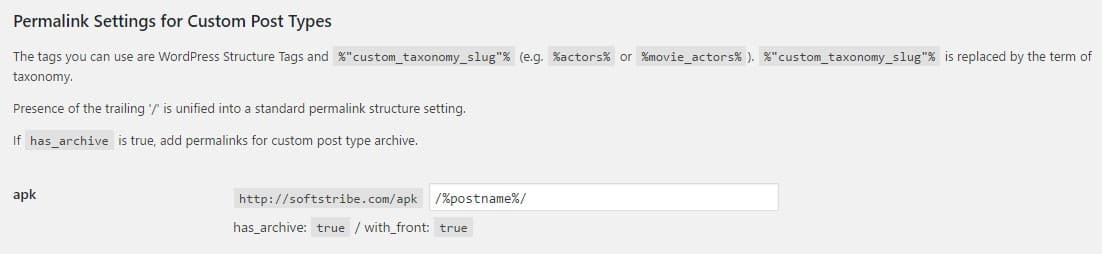
How to Modify Custom Post Type Permalinks in WordPress
How to set SEO friendly URLs in WordPress and in this article you will learn how to modify custom post type permalinks in WordPress.
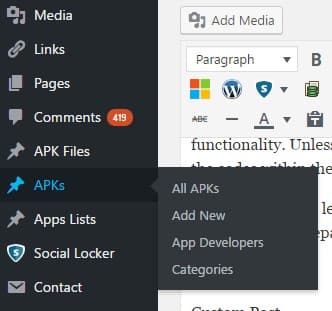
How to Create and Use WordPress Custom Post Types (CPTs)
How to create and use WordPress custom post types today. Custom post type means making a whole separate section for posting similar to Post/Page.
How to Create Site-Specific WordPress plugin
In this article you will learn how to create site-specific WordPress plugin. Why do you need make site-specific WordPress plugin in order to prevent errors.