Articles - Page 105
How to: Notify Comment Author When Comment is approved in WordPress?
In this article, I will show you how we can grab our readers attention by notifying them on approving their comments which they just posted on your WordPress blog
Turn Your Scalable Vector Graphics into Path Animation with Lazy Line Painter
The Lazy Line Painter actually an awesome Jquery plugin especially for the path animation on preparing and presenting SVG (Scalable Vector Graphics ) file.
Import Data in WordPress From WordPress, Blogger, LiveJournal, and More!
Import data in WordPress blog from another blog (may powered by Blogger, Tumblr, Typepad, etc.) sometimes come in the way of blogging!
10 Best Google Analytics Alternatives in 2026
Discover the best Google Analytics alternatives in 2026. Compare privacy-focused tools like Plausible, Matomo, Fathom, and more for website analytics without compromising user privacy.
How to: Protect Email Addresses From Email Harvesters in WordPress?
Harvesting emails from webpages and collect them into a list usually termed as spam. Here's what, how to protect emails from email harvesters in a WordPress blog.
Top 3 Methods to Enable Gzip Compression in WordPress
Enable gzip Compression because it's the most popular method to load your site faster by reducing the weight of the page. Enable gzip compression to load
10 Easy Steps to Setup CloudFlare CDN in WordPress
How to use CloudFlare CDN with your WordPress blog. A CDN (Content Delivery Network) is very important to give fast content delivery to your readers.
How to: Verify Google Authorship for Your Guest Posts?
In this article we have taught you about how to Verify Google Authorship for Your Guest Posts?
How to: Verify Google Authorship Using AuthorSure Plugin?
Google Authorship (GA) means your Google+ profile information will be shown in the Google search results. Read this article to Verify Google Authorship.
Google Authorship Is Gone: How to Show Authors to Google Today
Google Authorship and Google+ are gone, so old rel=author steps do nothing. How to show authors to Google today in WordPress, Yoast, Rank Math and Blogger.
How to allow unregistered users to Submit Guest Posts in WordPress
Guest Posts is a WordPress plugin which gives an opportunity to unregistered users and readers to guest posts on your blog.
How to: Add Expires Headers in WordPress using .htaccess?
Expires Headers in WordPress which tell the browsers how often they should request a new cached file from the server and till they should grab the old one.
How to: Improve WordPress Blog Performance Using Head Cleaner?
Head Cleaner is a WordPress plugin which let you improve your WordPress blog's speed by cleaning untidy tags from header and footer in your WordPress blog.
Use Sucuri Malware Scanner Plugin to Enhance WordPress Security
Sucuri is a web security service which enhances the weblogs security especially like WordPress. Here comes a Sucuri Malware Scanner plugin for WordPress.
How to Add and Verify Google Analytics 4 in WordPress
Add Google Analytics 4 to WordPress with Google's Site Kit plugin or the manual Google tag, then verify it in Realtime. Universal Analytics ended in 2023.
How to: Force Strong Passwords to Registered Users in WordPress?
Force strong passwords today cuz, forcing strong passwords to registered users is also important source of protecting your WordPress site from being hacked.
How to: Block Comment Spammers Using Akismet in WordPress?
In this article, we'll tech you how Block Comment Spammers Using Akismet for free. How do we get free API key to activate Akismet plugin on your blog?

How to: Add a Random Post Button in WordPress?
Random post button functionality will give your readers something new and maybe more advanced way to browse your blog.
How to: Create WordPress Child Theme using Child Themify?
This tutorial will teach you about to create WordPress child theme using child themify WordPress plugin which enable us to create child theme.
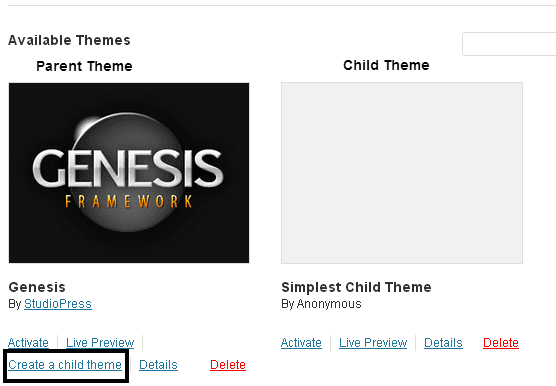
How to: Create a WordPress Child Theme Manually?
In this tutorial of WordPress we'll show you how to create a WordPress Child Theme manually of any WordPress theme.