Articles - Page 159
10 Free Flash Players for Android
Flash Players for Android which includes FLV, SWF, MP4, MP3, 3GP, MPEG, AVI, RM, MKR, and a lot more that we can play on our Android platform.
How do I Create a Free Video Sharing Website Like YouTube?
A video sharing website is where users from World wide can upload videos regarding funny clips, videos, personal staff and broadcast them across the world.
Find Out How Secure is Your Password with Password Strength Meter
Password Strength Meter It's a simple jQuery password strength meter plugin which tells you about your password strength (From very week to very strong).
10 Free Online Resume Creators (CV) in 2026
I hope this list of 10 Free Online Resume Creators (CV) will help you friends.
How to: Create a Free Classifieds Website with Osclass Script?
This article we're going to learn how to build a free classifieds website. Out there on internet, numerous free classifieds scripts are available to build a completely free classifieds website.
Top 10 Best WampServer Alternatives in 2026
Discover the best WampServer alternatives in 2026 for local web development. Compare XAMPP, Laragon, MAMP, Docker, and more for running Apache, PHP, and MySQL.
15+ Mind Blowing CSS3 Libraries
Anyway, here are our favorite CSS3 experimental techniques. I've found over 15+ Mind Blowing CSS3 Libraries.
Best Internet Download Manager (IDM) Alternatives: For File download management in 2026
Internet Download Manager is one of the best resource to download things from the internet, faster and safer. Here are Alternatives of Internet Download Manager
Two Ways to add Google Custom Search in WordPress Blog
Google custom search engine allow website owners to specify, how many websites will be used in that custom search to grab information.
Definitive Guide to Improve Page Load Time (Only WordPress)
This article provide you a wider and definitive guide to improve page load time. If you really want to load your site faster then you should stay tuned and continue reading this article.
Top 10 WordPress Security Plugins to Secure WordPress Blog
WordPress Security Plugins Made it easy to secure a WordPress blog in just a few clicks within seconds. Keep Secure Your WordPress blogs from hackers.
Top 8 Related Posts WordPress Plugins with Thumbnails
Related Posts WordPress Plugins, to add related posts after each single post content is really nice idea to give your readers a good way to read your blog deeply.
Top 10 Awesome jQuery Image Zooming WordPress Plugins
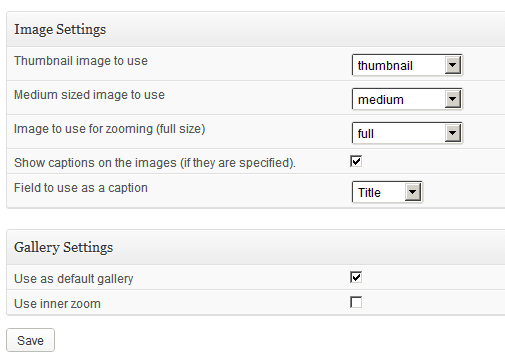
Image zooming WordPress Plugins that you can use to add an awesome image zoom effect over images inside of your WordPress blog.
Top 5 WordPress Plugins for Libraries
Getting the right kind of plugins, for your WordPress blog library can be rather more tough, however WordPress Plugins for Libraries will be discussed in this article
How to: Build a Powerful Forum Community with Fluxbb Forum?
How to build a powerful forum community with Fluxbb forum which is very easy to connect with the database provided in fields only if your database is exist.
Using WordPress 3.5 “Elvin” to Develop an Attractive Travel Site
If you are thinking about developing a travel site and also thinking about using WordPress as a development platform, read this article to make it so.
Building a Questions and Answers Community Part 3: Integration of Question2Answer with WordPress
Integrating the Question2Answer with WordPress made easy, we don't need to add WordPress database information into Q2A script.
Building a Questions and Answers Community Part 2: Installing Question2Answer Manually
Installing Question2Answer manually, I mean there is also a wide majority of people who don't have access to use Softaculous in there cPanel account.
Building a Questions and Answers Community Part 1: Installing Question2Answer via Softaculous
In this article we'll take a look on how we can build an online Questions and Answers community with Question2Answer via softaculous.
How to Install Free Open Source EsoTalk Forum Software
Aha! EsoTalk forum is absolutely free, yet an open-source forum script which is written in PHP web programming language and Mysql. Happy using EsoTalk Forum