Free Download Manager vs IDM: Free Tool or Paid Classic?
Pick Free Download Manager if you want a download manager that costs nothing, runs on Windows, macOS, Linux and Android, and also handles torrents. Pick IDM (Internet Download Manager) if you only use Windows, want its long-standing browser integration and scheduler, and are fine paying for a license after the 30-day trial.
Both speed up and organise downloads by splitting files into parts, both resume broken downloads, and both plug into Chrome, Firefox and Edge. The differences are price, platforms and torrents.
Free Download Manager vs IDM at a glance
| Free Download Manager | IDM | |
|---|---|---|
| Price | Free | US$24.95 lifetime or US$11.95 per year (1 PC) |
| Free plan | The whole app is free | 30-day free trial, no email or card needed |
| Platforms | Windows, macOS, Linux, Android | Windows 7, 8/8.1, 10 and 11 only |
| Open source | Yes, according to its site | No, paid commercial software |
| Torrents | Yes, built-in BitTorrent client | No |
| Browser integration | Chrome, Firefox, Edge and others | Chrome, Firefox, Edge, Opera and others |
| Best for | Anyone who wants a free, cross-platform tool | Windows users who want a mature paid tool |
Which is cheaper, Free Download Manager or IDM?
Free Download Manager, because it costs nothing. Its site calls it "100% free" and "Free forever", with no adware.
IDM is paid software from Tonec. You can try it free for 30 days with "No email or credit card required", but its purchase page says you should stop using the trial after 30 days and register if you want to keep using IDM.
We checked IDM's official purchase page on 6 November 2026. It first showed prices in our local currency (Pakistani rupees), so we switched the currency to US dollars. The prices were:
- Lifetime license, 1 PC: US$24.95
- One-year license, 1 PC: US$11.95
- Lifetime license, 2 or more PCs: US$19.95 per PC
- One-year license, 2 or more PCs: US$9.95 per PC
The page says the serial number is sent right after purchase. Buy it from IDM's own site. Cracked copies and "free serial keys" shared online are not a legitimate way to use IDM.
Does IDM work on Mac, Linux or Android?
No. IDM's FAQ says the current version "does not support Mac, IPad/IPhone, Android or Unix/Linux" and that IDM works on Windows 7, 8/8.1, 10 and 11, including 64-bit versions. If you use anything other than Windows, IDM is out.
Free Download Manager (FDM) lists "Full support for Windows, macOS, Android, and Linux". On 6 November 2026 its home page offered FDM 6.35.2 for Windows 11, 10, 8.1, 8 and 7 (64-bit). If you switch between a Windows PC and a Mac, or want the same tool on your phone, FDM is the only one of the two that can follow you.
Can Free Download Manager or IDM download torrents?
Only FDM. Its site says "A full BitTorrent client is built in", with support for torrent files and magnet links, priority control and bandwidth management.
IDM's FAQ says the current version "does not support torrents for legal reasons". If you download Linux ISOs or other files shared over BitTorrent, you would need a separate torrent client alongside IDM.
Which is faster?
Both use the same basic idea: split a file into parts and download them at the same time. We did not test download speeds, and both makers' speed claims are their own marketing numbers, so we leave them out.
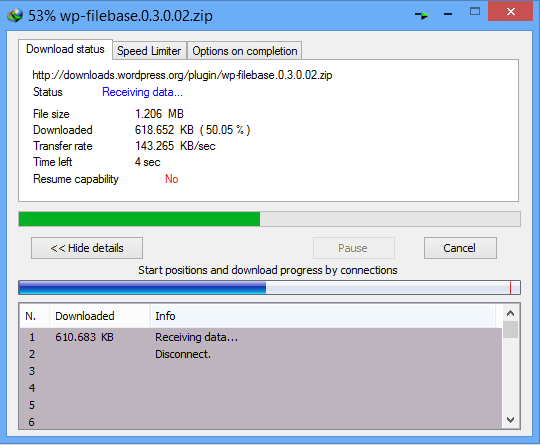
IDM describes its method as "dynamic file segmentation": it splits files during the download and reuses connections that are already open, without extra connect and login steps. FDM says it "splits files into segments and downloads them simultaneously". In practice your speed depends mostly on your connection and the server. Both tools resume interrupted downloads, which matters more on an unreliable connection than raw speed does.
Which has better browser and video integration?
IDM has the deeper browser features on Windows. Its site says it offers extensions for Chrome, Firefox, Edge and Opera, takes over downloads from the browser, adds a "Download with IDM" button when you select several links, and shows a video download panel on web pages with media players. You need to keep the "IDM integration module" extension enabled for this to work.
FDM "works seamlessly with Chrome, Firefox, Edge, and other popular browsers" and can intercept downloads automatically. For video, it uses add-ons that download files and videos from supported websites.
IDM also has a built-in scheduler that can connect at a set time, download, then disconnect or shut down the computer, plus download categories and a light or dark theme. Keep in mind that downloading videos from a site is only allowed when the site's terms or the copyright owner permit it.
Which should you choose?
- You do not want to pay: Free Download Manager.
- You use macOS, Linux or Android: Free Download Manager.
- You also download torrents: Free Download Manager.
- You are on Windows and want a scheduler that can shut down the PC: IDM.
- You rely on browser video panels and multi-link downloads: IDM.
- You are not sure: start with FDM, and try IDM's 30-day trial before you buy.
For more options, including JDownloader, Xtreme Download Manager and AB Download Manager, see our Internet Download Manager alternatives.
FAQ
Is Free Download Manager really free?
Yes. Its site says it is 100% free and open source, with no adware or malware. It accepts donations but has no paid version.
How much does IDM cost?
On 6 November 2026, IDM's purchase page listed US$24.95 for a lifetime license on one PC, or US$11.95 for a one-year license. Licenses for 2 or more PCs cost less per PC.
Can I use IDM for free after the trial?
No. IDM's purchase page says you should uninstall the trial after the 30-day trial period and register to keep using it.
Is there IDM for Mac?
No. IDM's FAQ says it does not support Mac, iPhone, iPad, Android or Linux. Free Download Manager runs on macOS.
Related Articles
Free Download Manager vs IDM: Free Tool or Paid Classic?
7-Zip vs WinRAR: Free Archiver or Paid RAR Tool?
Zapier vs Make: Which Automation Tool Is Cheaper and Easier?
Download Internet Download Manager 6.27 Build 5 (IDM)
Free Internet Download Manager (IDM with Serial Keys)