7-Zip vs WinRAR: Free Archiver or Paid RAR Tool?
Pick 7-Zip if you want a free, open source archiver for Windows that opens almost anything, including RAR files, and you never need to create RAR archives yourself. Pick WinRAR if you need to make RAR archives, want one paid license that also covers the Linux, macOS and Android versions, or work with people who send and expect RAR files.
Both tools compress and extract files, both encrypt archives with AES-256, and both plug into the Windows right-click menu. The real differences are price, license and which formats each can write.
7-Zip vs WinRAR at a glance
| 7-Zip | WinRAR | |
|---|---|---|
| Price | Free, including for business use | $29 for a single-user license (excluding VAT), lower per-seat prices for 2 or more users |
| Free plan | The whole program is free | 40-day trial, then a license is required |
| Platforms | Windows (full app); Linux and macOS (command line only) | Windows (full app); Linux, FreeBSD and macOS (command line only); Android app |
| Open source | Yes, mostly GNU LGPL | No, the RAR compression algorithm is proprietary |
| Creates RAR archives | No, it can only extract RAR | Yes |
| Native format | 7z | RAR |
| Encryption | AES-256 in 7z and ZIP | AES 256-bit |
| Best for | Home and office users who want a no-cost archiver | People who must create RAR files or want a supported commercial tool |
Which is cheaper, 7-Zip or WinRAR?
7-Zip is cheaper because it costs nothing. 7-Zip says on its home page that you can use it on any computer, including in a commercial organization, and that you do not need to register or pay.
WinRAR is "try before you buy". Its license agreement allows a test period of up to 40 days at no charge, after which the user must buy a license to keep using it. The RARLAB shop lists these prices, all excluding VAT:
- 1 user: $29
- 2 to 9 users: $21 each
- 10 to 24 users: $16 each
- 500 to 999 users: $6 each
Home users get some flexibility: the WinRAR license says a home user may use a single license on all computers and portable drives they own. Business users need one license per computer.
Can 7-Zip open and create RAR files?
7-Zip can open RAR files but cannot create them. This is the one gap that sends people to WinRAR.
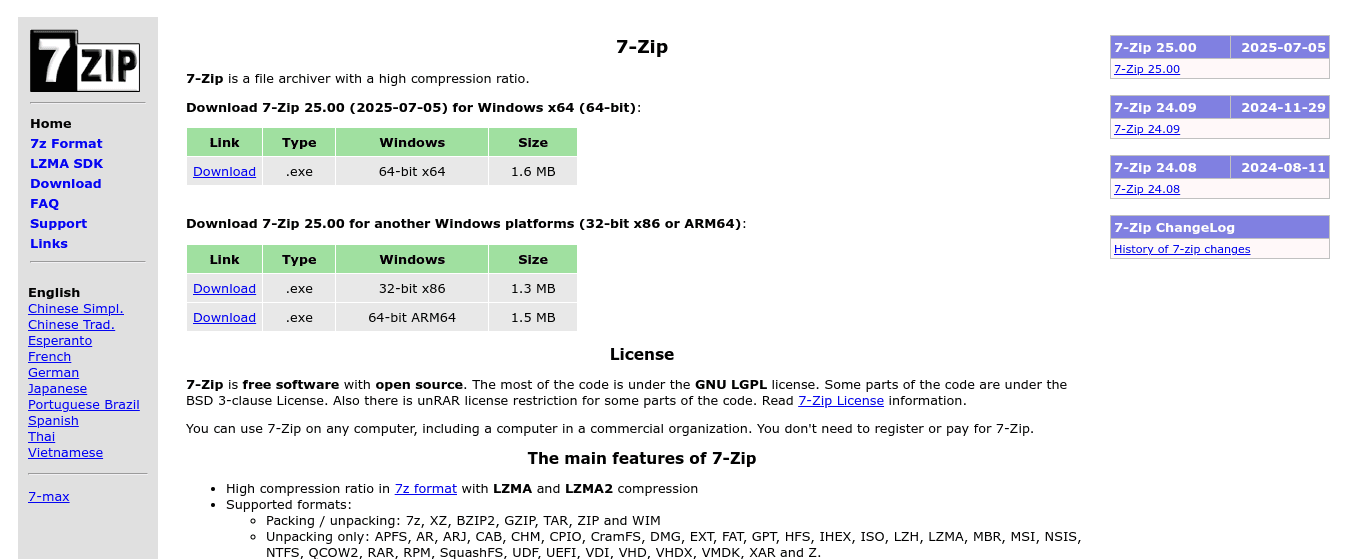
On 6 November 2026 we checked 7-Zip's own format list for version 26.05. It splits formats into two groups. "Packing / unpacking" covers 7z, XZ, BZIP2, GZIP, TAR, ZIP and WIM. RAR sits in the "Unpacking only" group, alongside 31 other formats such as ISO, DMG, CAB and MSI. The reason is on WinRAR's side: its license agreement says the RAR compression algorithm is proprietary and may not be re-created without written permission.
So if someone sends you a .rar file, 7-Zip will extract it. If a client, a forum or an upload rule asks you to send a .rar file, you need WinRAR (or the RAR command line tool from the same company).
Which compresses files better?
Both claim strong results, and neither page gives a direct head-to-head test, so we will not pick a winner here.
- 7-Zip: says its 7z format with LZMA and LZMA2 gives a high compression ratio, and that for ZIP and GZIP it compresses 2 to 10 percent better than PKZip and WinZip.
- WinRAR: says it "automatically recognizes and selects the best compression method" and handles multimedia files, executables and object libraries particularly well.
In practice, the format you choose matters more than the app. If the person receiving the file only has Windows' built-in tools, plain ZIP is the safest choice in either program.
Which one works on Mac, Linux and phones?
Neither has a full graphical app outside Windows, but WinRAR's company covers more platforms.
- 7-Zip: the full app runs on Windows (64-bit, 32-bit and ARM64). The download page also offers "7-Zip for Linux: console version" and "7-Zip for MacOS: console version", which are command line tools.
- WinRAR: the full app runs on Windows. RARLAB also offers RAR for Linux, FreeBSD and macOS, which its shop labels "Command line interface only", plus RAR for Android. WinRAR's features page says a license is valid for all language and platform versions.
If you want a graphical archiver on a Mac or on Linux, look at our list of WinRAR alternatives, which includes cross-platform options such as PeaZip.
Is 7-Zip safe and trustworthy?
Yes. 7-Zip is open source: most of its code is under the GNU LGPL, some parts are under the BSD 3-clause license, and there is an unRAR license restriction on the RAR extraction code. Anyone can read the source. Download it only from 7-zip.org, since copies on other sites can be repackaged.
WinRAR is closed source. Its license forbids bundling the installer with other software, so the official sites are again the right place to get it.
Which should you choose?
- You mostly extract downloads (ZIP, RAR, ISO, 7z): 7-Zip. It opens all of them and costs nothing.
- You run a business and want a free tool with no per-seat cost: 7-Zip, which is free for commercial use.
- You must create RAR archives: WinRAR, since 7-Zip cannot write RAR.
- You want one license for Windows plus command line tools on Linux or macOS: WinRAR.
- You want a full graphical app on a Mac: neither, see the alternatives list above.
FAQ
Is 7-Zip really free for business use?
Yes. 7-Zip's site says you can use it on any computer, including one in a commercial organization, without registering or paying.
How long is the WinRAR trial?
WinRAR's license agreement allows a test period of up to 40 days at no charge. After that, it says you must buy a license to keep using it.
Can 7-Zip open RAR files?
Yes, 7-Zip can extract RAR files. It cannot create them, because RAR is listed only under its "Unpacking only" formats.
Do both support password-protected archives?
Yes. 7-Zip offers AES-256 encryption in 7z and ZIP formats, and WinRAR offers AES 256-bit encryption.
Related Articles
7-Zip vs WinRAR: Free Archiver or Paid RAR Tool?
Zapier vs Make: Which Automation Tool Is Cheaper and Easier?

Best KGB Archiver Alternatives: For High compression file archiver in 2026
Zapier vs n8n: Pricing, Self-Hosting and Ease of Use Compared

Best 7-Zip Alternatives: For File compression and archiving in 2026