Android in PC
15 articles in this category
Top 7 Best Alternatives of Bluestacks Android Apps Player
Discover the top 7 best alternatives to BlueStacks Android emulator in 2026. Run Android apps and games on your PC with these lightweight and powerful emulators.

Gameloop Best Android Emulator for PC | Download & install
Gameloop Emulator was made as Tencent Gaming Buddy in its early days. It was then emerged as the best Android emulators after Bluestacks, Nox app player, and
How to Download and Install LDPlayer on Windows
Download LDPlayer 9 or LDPlayer 14 from the official site and install it on Windows. Official system requirements, install steps and how to turn on VT.
15 Best Bigo Live Alternative Apps
Although, Bigo Live is one of the best live streaming apps, there are also its alternative apps available for Android devices, having some unique features.
Nox App Player Free Download for Laptop & PC (Windows 7,8,10)
Nox app player is one of the greatest Android emulator which is way more better than Bluestacks because it is lightweight and plays Android apps faster.

Free Download Android 6.0 Marshmallow 32-bits for PC
In this article you will learn how to Download and install Android 6.0 Marshmallow 32-bit for PC
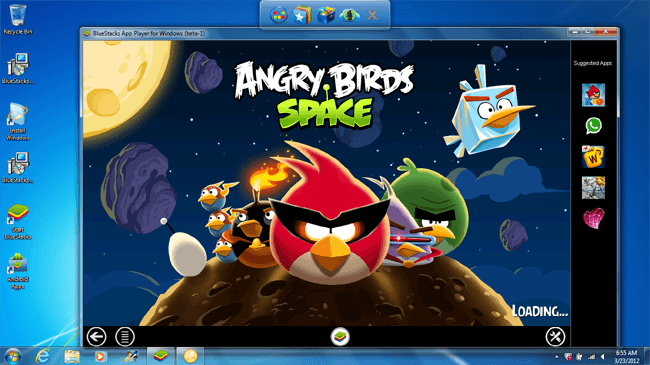
Install Android Apps in Windows with BlueStacks 5 – Latest Version
BlueStacks app player allows you to run Android apps on Windows 7, 8, or 10. It is the alpha version of an emulator that allows you to use Android on a PC.
How to Download and Install APK Files on Android Safely
Two ways to install an APK on Android 8 and later: on the phone or from a computer. Includes Google's safety advice and what developer verification changes.

How to Install WeChat Android Chatting App in PC Windows/7/8 or Mac
In this article, you will find the method to download and install the WeChat Android Chatting App in PC.

Download and Install Candy Crush Saga Android Game in PC
However, Here are a couple of features that Candy Crush Saga Android game gives.

Download and Install LINE Messenger in All OS – Windows, Mac, iOS, Android, etc
LINE Messenger is best chatting suite to exchange free instant messages with friends whenever and wherever with one-on-one and group chats.

Download and Install Temple Run 2 Game in PC
In this article, you will find the method to download and Install Temple Run 2 Game in PC.

Download and Install Viber Messenger in PC/Laptop
Viber messenger in PC/Laptop. I hope you will find this article helpful and share it on your social media profiles too.

How to Download and Install Subway Surfers in PC/Laptop
I know that would be awesome to enjoy Subway Surfers in PC on keyboard. Enjoy Subway Surfers in PC/Laptop

How to Download and Install WhatsApp in PC/Laptop
In this article, you will find two ways to install Whatsapp in PC/Laptop, to Download and Install Whatsapp in PC just open up and read this article.
