WordPress Security
16 articles in this category
How to Fix Wordfence 403 Error: “A Potentially Unsafe Operation Has Been Detected
If you've encountered the frustrating 403 error from Wordfence when trying to upload a plugin, you're not alone. This issue typically arises due to
WordPress Security
Learn how to secure your WordPress website with our comprehensive security guides, tutorials, and best practices. Protect your site from hackers and vulnerabilities.
How to Fix the Username Enumeration Vulnerability in WordPress
The vulnerability you're facing is related to WordPress' REST API endpoint /wp-json/wp/v2/users/, which allows anyone to enumerate usernames. This is known as
How to Use Linux Terminal in WordPress Dashboard
If you want to use Linux terminal in WordPress dashboard then you are on the right page, I will show you how you can execute Linux commands using WordPress
4 Ways to Remove WordPress Version Number
Be default, WordPress adds its version name as meta tag in <head> section which opens the door for hackers. By removing the WordPress version number
How to Enable SVG Files Upload in WordPress
SVG (Scalable Vector Graphics) files are disabled for upload in WordPress by default due to security reasons. WordPress by default don't let its users to
3 Best WordPress Copy/Paste Protecting Plugins (To prevent your content from being stolen)
In this article, you will find 3 best WordPress copy/paste protecting plugins that will help you to protect your unique blog content from being stolen.
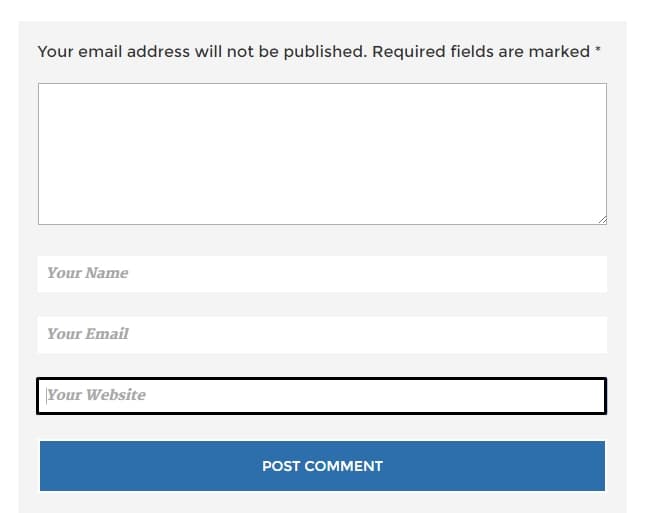
How to remove/disable website field in WordPress
If you have been using WordPress then you might know that there are tons of spam-robots which are targeting your blog for spamming and post thousands of spam
Two Ways to Secure wp-config.php File
This article presents two really practical ways to secure wp-config.php file from hackers. wp-config.php is the WordPress configuration file.

Only Install Trusted Plugins and Themes
This post describes stuff you should take care of to maintain great level security for your WordPress site. It defines criteria to consider before installing themes and plugins.

Change WordPress Default Username “Admin”
One of the ways to minimize or avoid brute force attacks is by changing the default username from "admin" to something uncommon, difficult-to-guess.

Keep WordPress, Plugins and Themes Up To Date. Period.
WordPress updates are coming out almost on a weekly bases. Most of these are minor security updates. Update WordPress, plugins and themes if you want security
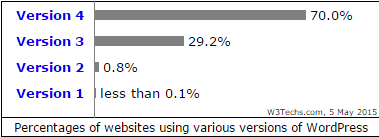
How Do Hackers Gain Access To Your Site?
This article explains 8 different ways or security holes through which hackers can gain access to your site. If you want to secure your site, fill these holes!

9 Assumptions for WordPress Security Series
WordPress security is a technical topic, one that requires first-hand knowledge of many different tools. This is a list of assumptions for WordPress Security series.

WordPress Security? Here is Your Guide!
WordPress security is a topic concerning everyone who uses WordPress.org. If you don't want your site to get hacked, follow this guide :)
How to Backup Your WordPress Site Completely (Manual Way)
In this article, we learn how to backup WordPress completely in manual way. WordPress backup consists of database backup, uploads, xml file and that's it.