YouTube is blocked in many countries, schools, and workplaces around the world. While proxy sites might seem like an easy solution, they often come with security risks, malware, and intrusive advertisements. In this guide, we'll show you safe and reliable ways to unblock YouTube videos without using risky proxy sites.
Why YouTube Gets Blocked
Before we dive into solutions, it's helpful to understand why YouTube content gets blocked:
- Geo-restrictions: Content owners restrict videos to specific countries due to licensing agreements
- Government censorship: Some countries block YouTube entirely
- School/workplace firewalls: Organizations block YouTube to increase productivity
- Copyright claims: Certain videos are unavailable in specific regions
Best Methods to Unblock YouTube in 2026
1. Use a VPN (Most Reliable Method)
A Virtual Private Network (VPN) is the most secure and reliable way to unblock YouTube. VPNs work by encrypting your internet connection and routing it through servers in different countries, making it appear as if you're browsing from that location.
How to use a VPN for YouTube:
- Download and install a VPN application
- Open the app and connect to a server in a country where YouTube is available (US, UK, Canada, etc.)
- Open YouTube and enjoy unrestricted access
Best VPNs for YouTube in 2026
NordVPN - Best Overall
- 6,000+ servers in 120 countries
- Speeds up to 950 Mbps for 4K streaming
- Works in heavily censored regions
- 30-day money-back guarantee
Surfshark - Best Budget Option
- Servers in 100+ countries
- Unlimited simultaneous connections
- Fastest VPN tested (950+ Mbps)
- Starting at $1.99/month
ExpressVPN - Best for Security
- Servers in 100+ countries
- 23 independent security audits
- Post-quantum encryption
- Excellent for 4K streaming
ProtonVPN - Best Free Option
- Unlimited bandwidth on free plan
- Strong privacy focus (Swiss-based)
- No ads or data logging
- Free servers in US, Netherlands, Japan
2. Browser Extensions
VPN browser extensions offer a quick way to unblock YouTube without installing full applications. They only protect your browser traffic, making them lighter and faster.
Recommended browser extensions:
- NordVPN Browser Extension - Available for Chrome, Firefox, Edge
- Surfshark Browser Extension - Lightweight and fast
- Windscribe - 10GB free monthly data
3. Smart DNS
Smart DNS services can unblock geo-restricted content without encrypting your connection. They're faster than VPNs but offer less privacy protection.
How Smart DNS works:
- Redirects only the parts of your traffic that reveal your location
- Doesn't change your IP address
- Faster speeds since there's no encryption
- Works on devices that don't support VPN apps
Popular Smart DNS services:
- SmartDNS Proxy
- Unlocator
- DNS services included with NordVPN and ExpressVPN
4. Tor Browser
The Tor Browser routes your traffic through multiple servers worldwide, hiding your IP address. While very private, it's slower than VPNs and not ideal for video streaming.
Pros:
- Completely free
- Maximum anonymity
- No registration required
Cons:
- Very slow for video streaming
- May not work with all YouTube features
- Blocked in some countries
Why You Should Avoid Free Proxy Sites
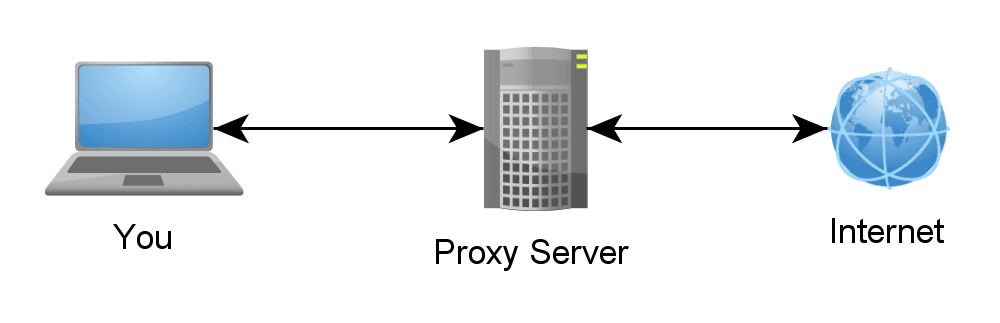
While proxy sites might seem convenient, they come with serious risks:
- Security risks: Many inject malware or steal your data
- No encryption: Your traffic can be intercepted
- Intrusive ads: Pop-ups, redirects, and malicious advertisements
- Unreliable: Often slow, frequently go offline
- Privacy concerns: Many log and sell your browsing data
Comparison Table
| Method | Speed | Security | Price | Best For |
|---|---|---|---|---|
| VPN | Fast | High | $2-12/mo | Overall best option |
| Browser Extension | Fast | Medium | Free-$12/mo | Quick access |
| Smart DNS | Fastest | Low | $5-10/mo | Streaming devices |
| Tor Browser | Slow | Highest | Free | Maximum privacy |
| Proxy Sites | Slow | None | Free | Not recommended |
Which Method Should You Choose?
- For everyday use: A paid VPN like NordVPN or Surfshark
- For free access: ProtonVPN (unlimited free tier)
- For quick unblocking: Browser VPN extensions
- For smart TVs/consoles: Smart DNS
- For maximum privacy: Tor Browser (but expect slow speeds)
Tips for Better Streaming
- Connect to servers closest to your actual location for better speeds
- Use servers in the US or UK for the widest YouTube library
- Enable the VPN's "streaming optimized" servers if available
- Clear your browser cache after connecting to a new server
- Use wired connections instead of WiFi when possible
Conclusion
Don't risk your security with shady proxy sites. VPNs offer the most reliable and secure way to unblock YouTube from anywhere in the world. If you're on a budget, ProtonVPN's free tier provides unlimited bandwidth, while Surfshark offers the best value for premium features. For the best overall experience, NordVPN or ExpressVPN are excellent choices with fast speeds and strong security.

![Turn computer into Proxy-based server with Ultrasurf [Proxy Server]](/_next/image?url=%2Fimages%2Fwp-content%2F2017%2F01%2FUltrasurf-desktop-client-Software.jpg&w=3840&q=75)


