
Muhammad Dilawar
Founder & CEO
Muhammad Dilawar is a WordPress developer and technical SEO specialist with over 12 years of experience building, optimizing and maintaining websites. He works with WordPress, WooCommerce, server optimization, DNS, SSL, Cloudflare, website security and performance, and is a Top Rated freelancer on Upwork with a 100% recommendation rate.
Articles by Muhammad Dilawar (1166)
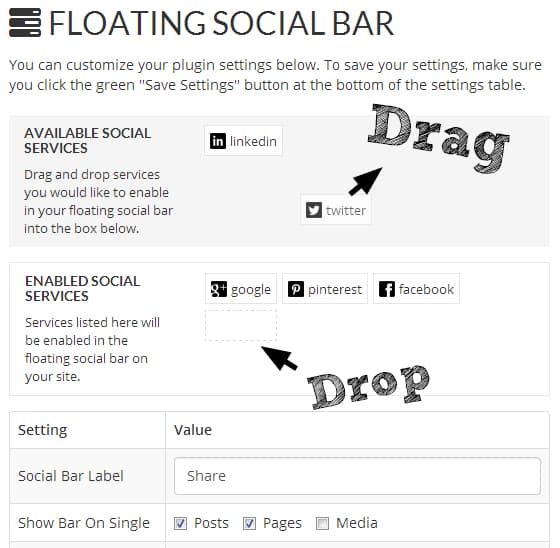
How to Add Floating Social Sharing Buttons in WordPress
floating social sharing buttons in WordPress. Why should you add floating social sharing buttons in your blog? Because of social media conversion, these soc ..
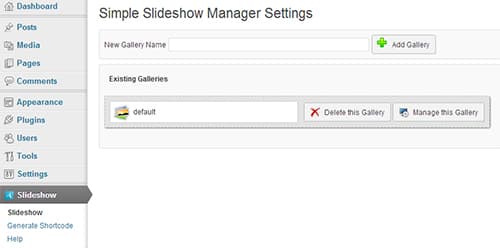
Simple Slideshow Manager – Add Slideshows to Posts in WordPress
Simple Slideshow Manager is a WordPress plugin which allows us to add slideshows to posts in your blog so easily. This Plugin is an easy to use yet .
How to Import and Export Widgets in WordPress
This article will teach you how to import and export widgets in WordPress. Those who are using plenty of widgets in their blogs, and setting up those widget

How to Add Sticky Social Bar in WordPress
This article will teach you about how to add sticky social bar in your WordPress blog. What actually this sticky social bar is a simple container of social
How to Reset All Users Passwords in WordPress
How to Reset all users passwords in WordPress at one time. The reason why should you need this option or when it will be needed is that when your site is at
10 Awesome Free Fonts for Web Typography
free fonts for web typography. As far as I know that every web designer need these web typography fonts in order to make stand out projects. Out there are m ...
How to Disable Image Attachment Pages in WordPress
Disable Image attachment pages in WordPress. It's quite easy to accomplish however, we can't disable image attachment pages but can redirect them to the
How to Add Facebook Like Box in WordPress
Facebook like box in WordPress. From now, you can increase your Facebook fan page liker by featuring a like box in your blog's sidebars or in footer to grab ...
How to Control Post Revisions in WordPress
The more you create posts, the more post revisions will be there in the database. In order to control post revisions in WordPress,WordPress gives us a neat
WordPress Security Infographic 2013
There had be a couple of WordPress security issues that should be resolved in order to make a WordPress blog secure. So, in this article, let me show you a great WordPress Security Infographic 2013.
How to Remove /blog/ slug from WordPress Multisite Permalink
/blog/ slug from WordPress Multisite Permalink It's pretty simple to remove the /blog/ slug from WordPress multisite permalink. Follow the steps below: Go ...
How to Add a Social Sticky Header Bar in WordPress
Social sticky header bar is one most popular thing with which you can increase your social shares, feed subscriber and make your blog look awesome. ...
Top 60 Best WordPress Tutorials
WordPress Tutorials that a beginner web developer needs. In the following WordPress tutorials, you will learn many things about WP. If you are reading this
How to Highlight Syntax in WordPress without a Plugin?
highlight syntax codes without having to load large files. Styling the Preformatted Tag: Add the following CSS codes in the style.css file by going to A .
Oops, Do Some Security for WordPress 3.5.2
WordPress 3.5.2 has been released and available to use. But this is the second maintenance release of WordPress 3.5 version, and still WordPress ...
Download FREE Post Type Icons in WordPress
Post Type Icons is a WordPress plugin which on activation does it's jobs about adding icons to custom post types. It's that easy to understand. Here are 36
Android Apps to Root your Android Phone
Root your Android Phone 1. Root and Me Root and Me Android application helps you root your Android phone so easily. This application is all in one ...

How to Add Social Media Followers Counter in WordPress
Social media followers counter". And I'm going list down about both of these plugins which are offering me to add Social Media Followers Counter within my b ...
How to Add Sticky Menu in Genesis
sticky menu in Genesis. Yeah! We can simply add a sticky menu in Genesis without touching a couple of codes. Do you want to know how...? Okay, I'll show you
Popular UIs — Freely Shares PSDs Of Popular Websites
Popular UIs is a website which creates and freely shares PSDs of well-known websites. The files are provided for educational use, to help people learn from
How to Specify a Vary: Accept-Encoding header in WordPress?
Vary: accept-encoding header in your blog? The fix is for the origin server to send back Vary: Accept-Encoding. Now the intermediate CDNs will keep separat ...
How to Embed Your Fiverr Gigs in WordPress [Boost Sales]
Fiverr gigs in WordPress sidebar widget area which will boost your sales on Fiverr if you have plenty of visitors daily on your website. Note: If you want..
How to Make a WordPress Blog Retina Ready
WordPress blog Retina ready? After reading this article you will be able to know about why should you. By-the-way, I'm going to show you guys, how to make a ...
Chrome Logger Google Extension For Debugging Server-Side Code
Chrome Logger which is an amazing extension hosted at Google Chrome Store for free. ...