Dragging and dropping is really a great feature that save our time in many aspects. In this way, I thought to write a short tutorial about how to assign featured image with posts/pages in WordPress with the help of drag & drop feature easily.
Drag & Drop Featured Image
Drag & Drop Featured Image is a plugin made to save your time when assigning featured images with posts/pages in WordPress. All you need to do is simply install and activate this plugin in your blog.
Once the plugin got activated in your blog, it will replace the default Set featured image metabox with a new one containing a Plupload drop area just like the one found in the media uploader. Since it uses the default WordPress functions it will compress all sizes just as the regular upload method would and it also respects any custom image sizes.

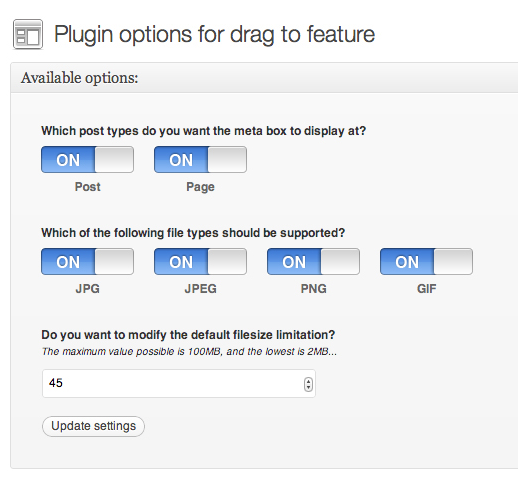
However, to configure the settings of drag & drop featured image plugin simply navigate to Appearance → D&D Featured Image:
In WordPress versions lower than 3.5 the page will reload after a successful image upload in order to show the new image. This has been fixed in more recent versions of WordPress, but cannot be implemented properly in older versions.