9 Best Contact Form Plugins for WordPress
The best contact form plugin for most WordPress sites is WPForms Lite if you want a drag-and-drop builder, or Contact Form 7 if you want something free and simple that you configure with plain markup. For payments, calculators or quizzes without paying for a Pro plan, look at Forminator and Ninja Forms.
This list replaces our old roundup of 40 plugins from 2013. We checked every plugin from that list against the wordpress.org plugin directory on 6 November 2026: of the 15 plugins that were hosted on wordpress.org, 9 have since been closed, including Fast Secure Contact Form, Easy Contact Forms, SimpleModal Contact Form and Contact Form Manager (the last two were closed for security issues). Every pick below is open on wordpress.org, was updated in the last month and is marked as tested with WordPress 7.1.4.
Which contact form plugin should you choose?
- Simplest free option: Contact Form 7.
- Easiest drag-and-drop builder: WPForms Lite.
- Free payments with Stripe and PayPal: Forminator.
- Free calculations and signatures: Ninja Forms.
- Lightweight forms with entry export: Fluent Forms.
- Calculators and data-driven forms: Formidable Forms.
- You already use Jetpack: the Jetpack Form block.
- Free file uploads: Everest Forms.
- You build pages with Elementor: MetForm.
1. Contact Form 7
Best for: a free, no-frills contact form on a site you keep up to date.
Contact Form 7 is the most installed form plugin on wordpress.org, with more than 10 million active installs. You build forms with simple tags instead of a drag-and-drop editor, which is quick once you learn it and fully free. Two things to know:
- It does not save messages. Submissions are only emailed. If an email goes missing, the message is lost. Install its companion plugin Flamingo (from the same author) to keep a copy of every message in your dashboard.
- It needs a current setup. Version 6.2.4.1 requires WordPress 7.1 and PHP 8.3 or newer, according to its wordpress.org listing. On an older site, update WordPress and PHP first, or choose another plugin from this list.
2. WPForms Lite
Best for: beginners who want a visual builder and ready-made templates.
WPForms Lite has more than 5 million active installs and one of the highest ratings in the category. You drag fields into place, or start from one of its 2,100+ templates. You can also ask its built-in AI to draft a form. The Lite version covers a standard contact form well. Features such as multi-page forms, file uploads and conditional logic are part of WPForms Pro, so check that list if you need more than a contact form.
3. Forminator
Best for: taking payments, running polls or quizzes without a paid plan.
Forminator, made by WPMU DEV, has more than 600,000 active installs. Its main strength is that Stripe and PayPal payments are included in the free plugin, which many other builders keep for Pro. It also builds polls with live results, quizzes and calculation forms with a drag-and-drop editor. If you send notifications from it, our guide on sending plain text emails in Forminator covers a common tweak.
4. Ninja Forms
Best for: quote forms, calculators and signed forms on a free plan.
Ninja Forms has been around since 2011 and has more than 500,000 active installs. The free plugin includes calculations, a signature field, star ratings and repeatable field groups, plus spam protection with honeypot, reCAPTCHA, hCaptcha, Cloudflare Turnstile and Akismet. Every submission is stored in your own WordPress database, with no limit on forms or entries. Extra features are sold as individual add-ons, so you only pay for what you need.
5. Fluent Forms
Best for: fast, lightweight forms and exporting entries.
Fluent Forms has more than 800,000 active installs. The free version includes conditional logic, a conversational (one question at a time) form style, 25+ field types and entry export to CSV, Excel, ODS and JSON. Its developers say a standard form loads less than 30 KB of CSS and JavaScript. It can also import forms from WPForms, Contact Form 7, Gravity Forms and Ninja Forms, which makes switching easier.
6. Formidable Forms
Best for: calculators, directories and forms that grow into small web apps.
Formidable Forms has more than 300,000 active installs and offers 300+ templates. The free version gives you unlimited forms and a drag-and-drop builder, which is enough for contact forms. Its real strength is in Formidable Pro, which adds conditional logic, multi-page forms, file uploads, calculated fields and a web application builder. Pick it if you expect your forms to become more than a contact page.
7. Jetpack Form block
Best for: sites that already run Jetpack.
Jetpack includes a Form block that is free on any Jetpack-connected site. According to Jetpack's documentation, responses are saved under Jetpack > Forms > Responses and checked for spam by Akismet if Akismet is active. It needs a WordPress.com connection, so installing the full Jetpack plugin only for a contact form is more than most sites need.
8. Everest Forms
Best for: collecting file uploads without a paid plan.
Everest Forms is smaller, with more than 90,000 active installs, but it holds a 4.9 out of 5 rating on wordpress.org. The free version includes form entries, file uploads, admin approval and survey fields, along with 40+ field types and unlimited submissions. That makes it a good fit for job application or document request forms.
9. MetForm
Best for: sites built with Elementor.
MetForm is an Elementor add-on with more than 500,000 active installs. Each form field is an Elementor widget, so you design forms in the same editor as the rest of your page. The free version includes 44+ templates, including booking and calculation forms. It is not useful if you do not use Elementor.
What happened to the plugins on the old list?
Most are gone. On wordpress.org, Fast Secure Contact Form, Easy Contact Forms, Slick Contact Forms, Contact Form Manager, SimpleModal Contact Form, Contact Form Maker, Best Contact Form and both Constant Contact form plugins are closed and can no longer be downloaded. A closed plugin gets no security fixes, so if one is still active on your site, replace it. The 25 paid CodeCanyon plugins on the old list could not be checked and have been removed. A few from the old list are still maintained, including Form Maker by 10Web, Contact Form by BestWebSoft and Contact Form Clean and Simple.
How do you add a contact form to a WordPress page?
- Install your chosen plugin from Plugins > Add Plugin and activate it.
- Create a form in the plugin's menu, or use its default contact form.
- Set where notifications are sent, usually your admin email.
- Add the form to a page with the plugin's block (or shortcode) in the editor and publish.
- Send a test message and confirm it arrives. If it does not, your site's email setup is the likely cause, not the form.
FAQ
What is the best free contact form plugin for WordPress?
Contact Form 7 is the most used and completely free. If you prefer a visual builder, WPForms Lite and Fluent Forms are free and easier for beginners.
Why are my contact form emails not arriving?
Usually because the server's mail is blocked or marked as spam, not because of the form plugin. Check your spam folder, and use a plugin that stores entries (or Flamingo with Contact Form 7) so no message is lost.
Which free form plugin accepts payments?
Forminator includes Stripe and PayPal payments in its free version.
Do I need a form plugin if I use Jetpack?
No. Jetpack's Form block is free on connected sites and stores responses in your dashboard.

Related Articles
How to Add Responsive Contact Form in WordPress

3 Best Free WordPress Plugins to Set Preloader on WordPress Site
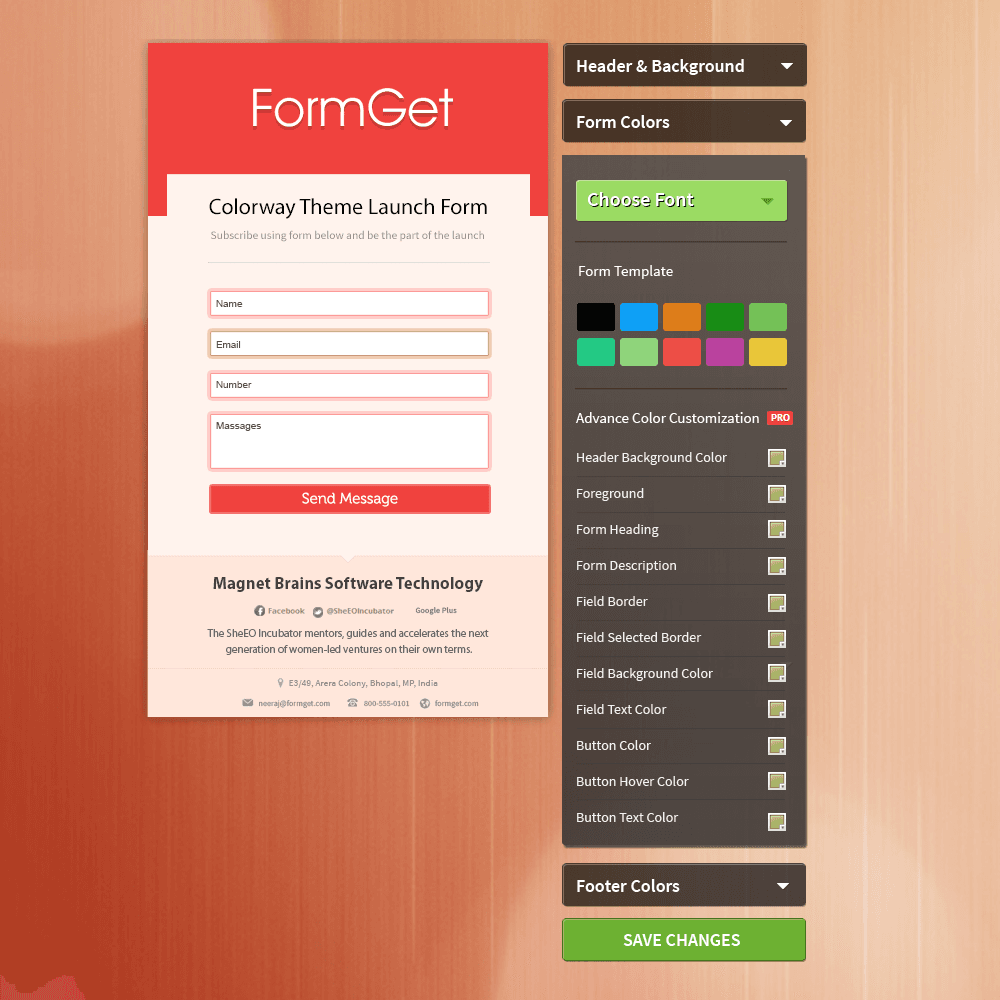
FormGet – A Powerful HTML Contact Form To Create Form & To Collect Payments

3 Best WordPress Copy/Paste Protecting Plugins (To prevent your content from being stolen)